
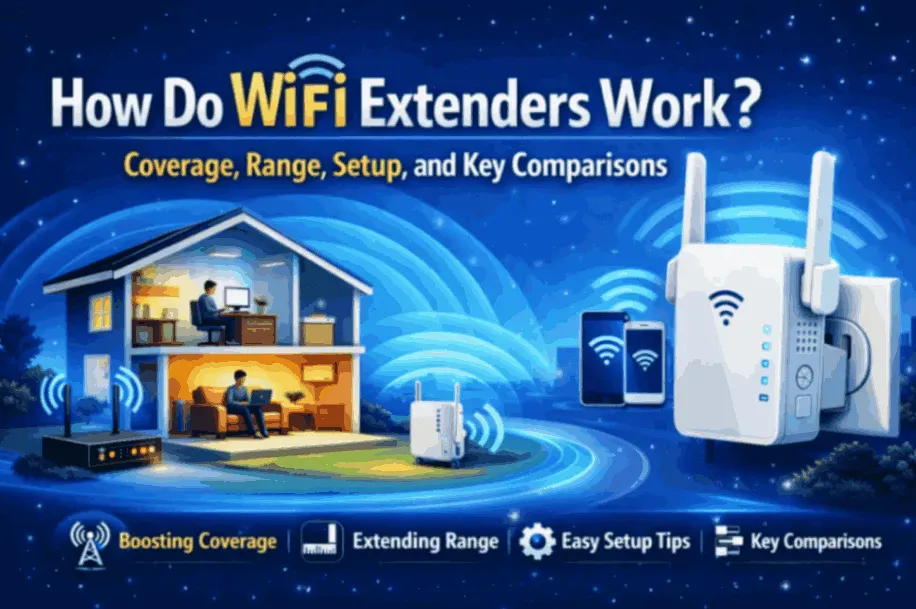
Weak WiFi signals and dead zones are common issues in homes and small offices, especially as devices move farther from the main router. Walls, floors, and interference can all reduce signal strength, leaving certain areas with slow or unreliable connections. This often leads people to look for simple ways to extend coverage without replacing their entire network.This section looks at how do wifi extenders work by breaking down what they actually do, how they pass along wireless signals, and when they tend to work best in real homes. It also clears up common confusion, such as the difference between a wifi booster vs wifi extender, and addresses practical questions like how far will a wifi extender reach in real-world conditions. Readers can expect a clear explanation of the basic working principle, realistic coverage limits, a high-level look at setup, and an objective comparison with other WiFi expansion options, helping them understand whether an extender fits their specific space and needs.
What Is a WiFi Extender and What Problem Does It Solve?
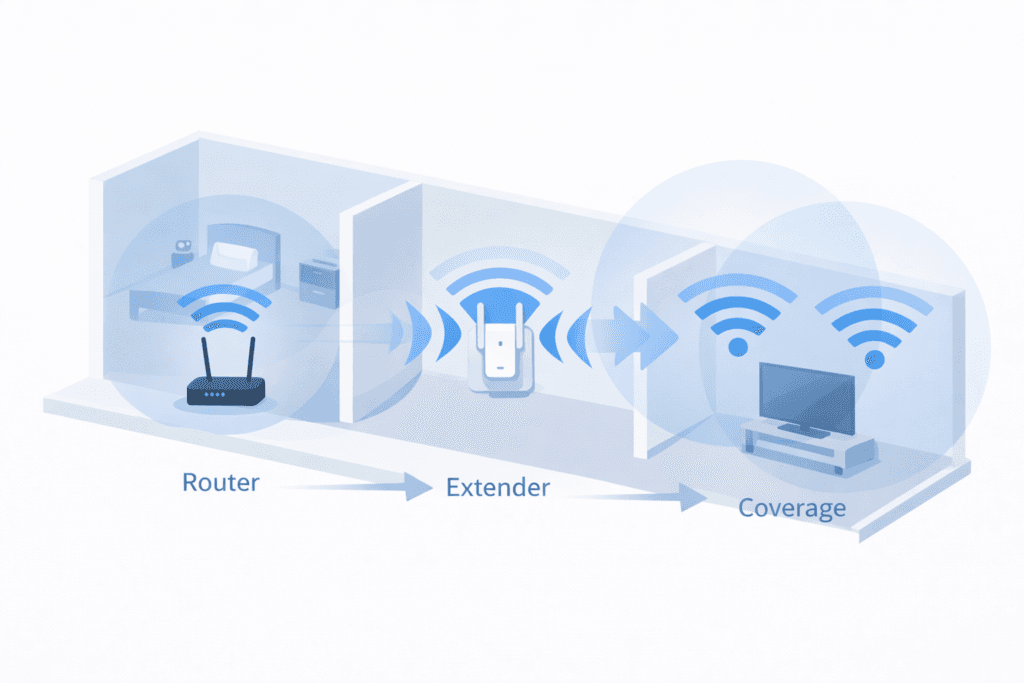
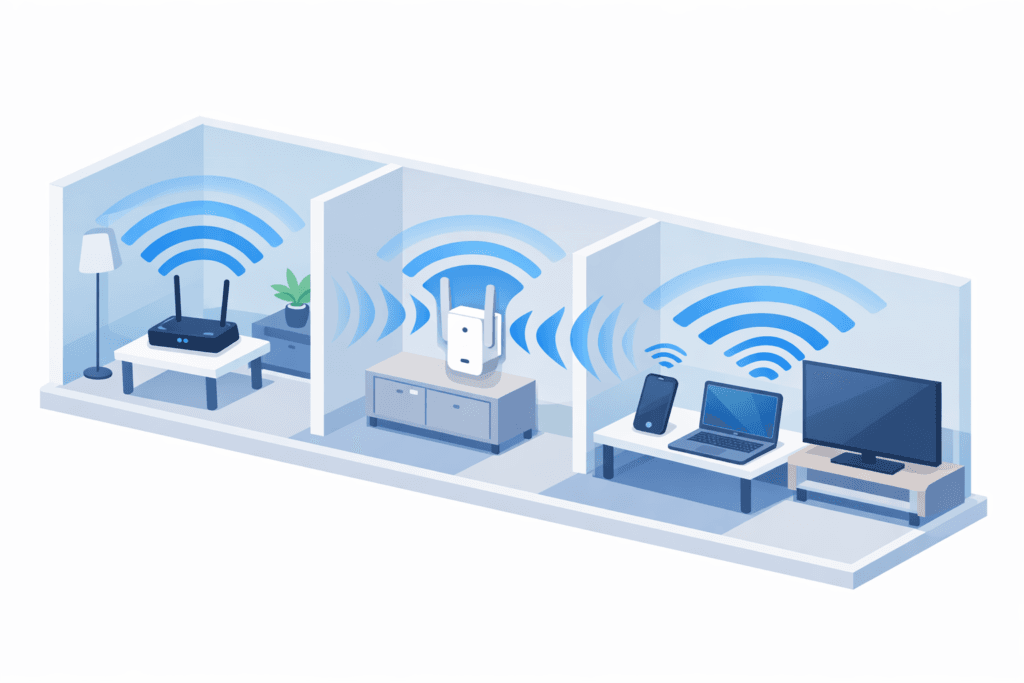
A WiFi extender is a device designed to improve wireless coverage by relaying an existing signal into areas where it becomes weak or unreliable. In simple terms, it listens to your router’s WiFi and then rebroadcasts that signal so devices farther away can stay connected. This makes it easier to understand what is a wifi extender and how does it work without getting into technical details.
The main problem it solves is signal loss caused by distance, walls, floors, or interference. As you move away from the router, WiFi strength naturally drops, creating slow speeds or dead zones. An extender fills in these gaps by extending the usable range of the network. Knowing how a WiFi extender functions also sets realistic expectations: it can improve coverage, but it won’t create a new internet connection or boost the speed provided by your service provider.
WiFi Extender vs Repeater — Are They the Same?
WiFi extenders and repeaters are closely related and often described interchangeably. Both receive an existing wireless signal and transmit it again to increase coverage. The difference is mostly in terminology and implementation rather than purpose. When people ask about wifi repeater vs extender or how do wifi repeaters work, they are usually referring to the same basic idea: relaying a signal to reach areas the main router cannot cover on its own.
How Do WiFi Extenders Work? Signal Flow Explained
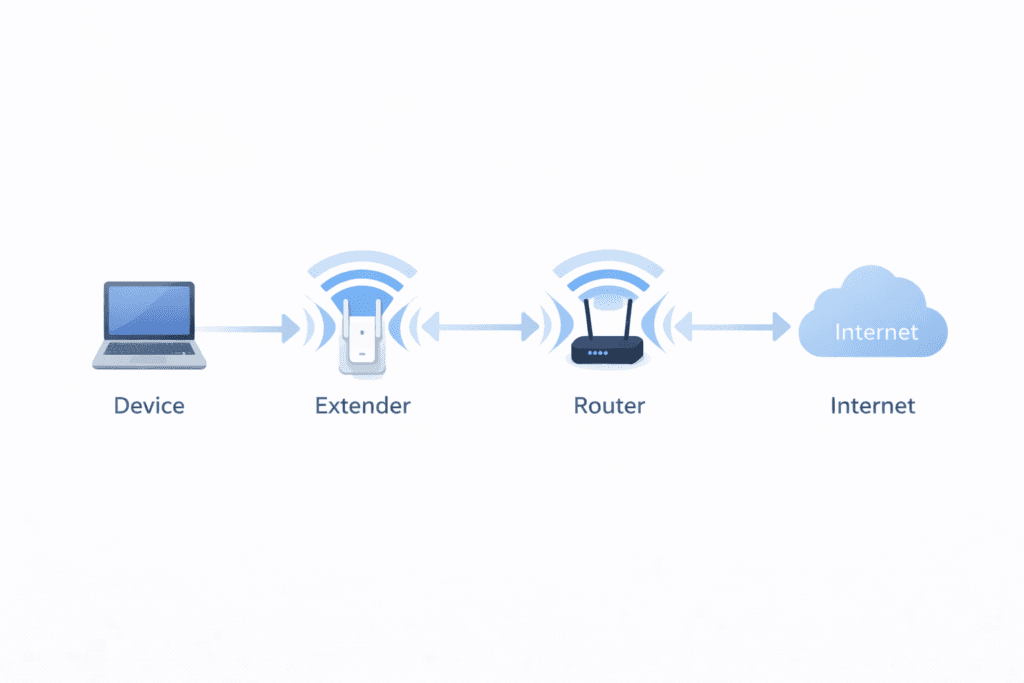
A WiFi extender works by acting as a relay point between your router and devices that are too far away to receive a strong signal. First, the extender connects wirelessly to your existing network and listens for the router’s signal. It then captures that signal, processes it, and sends it out again to nearby areas where coverage was previously weak.
Understanding how do wifi extenders work becomes easier when you think of it as a middle step in the signal path. Data from your device travels to the extender, then to the router, and back the same way. This extra step in the connection helps explain why performance can feel different compared to using WiFi close to the router. The extender does not create new bandwidth; it redistributes the existing signal so more spaces can stay connected.Because the extender depends on the quality of the signal it receives, placement and interference play a major role in results. TThis signal-flow process is the foundation of its relay-based design across different environments, whether in small apartments or larger multi-room homes.
Single-Band vs Dual-Band Extenders
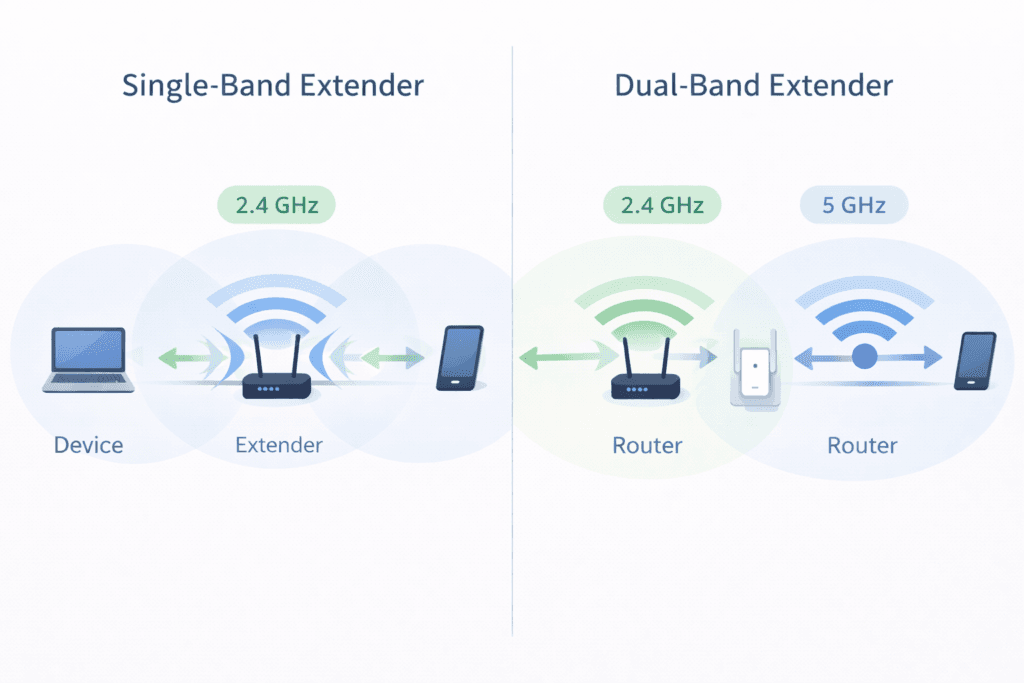
Single-band extenders use one wireless band to communicate with both the router and connected devices. This means the same channel handles incoming and outgoing data, which can reduce effective speed under load. Dual-band extenders separate these tasks by using different bands, allowing one to receive data and the other to transmit it. This internal handling affects throughput and responsiveness, especially when multiple devices are active. The difference lies in signal management, not coverage expansion, and helps explain why performance can vary even when range appears similar.
How Far Will a WiFi Extender Reach? Coverage & Range Reality
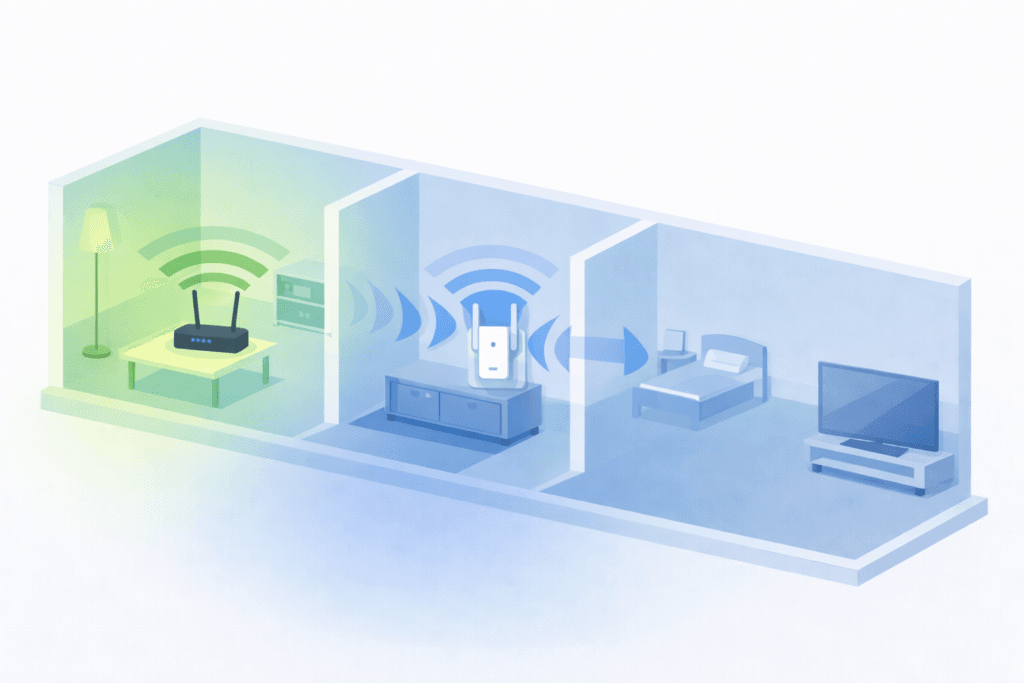
WiFi extender range in real-world conditions is often different from what people expect. When asking how far will a wifi extender reach, the answer depends on several environmental factors rather than a fixed distance. Walls, floors, and building materials can weaken wireless signals, while nearby electronics and neighboring networks may cause interference. The strength and quality of the original router signal also matter, because the extender can only rebroadcast what it receives.
In practical terms, how far does a wifi extender reach can vary widely even within the same home. Open areas with minimal obstructions allow signals to travel farther, while thick walls, concrete floors, or metal fixtures can reduce coverage quickly. This is why how far can a wifi extender reach depends as much on home layout and building materials as it does on the extender’s technical specifications. An extender improves usable coverage, but it cannot eliminate every dead zone or bypass physical barriers entirely.
Placement Matters More Than Specs
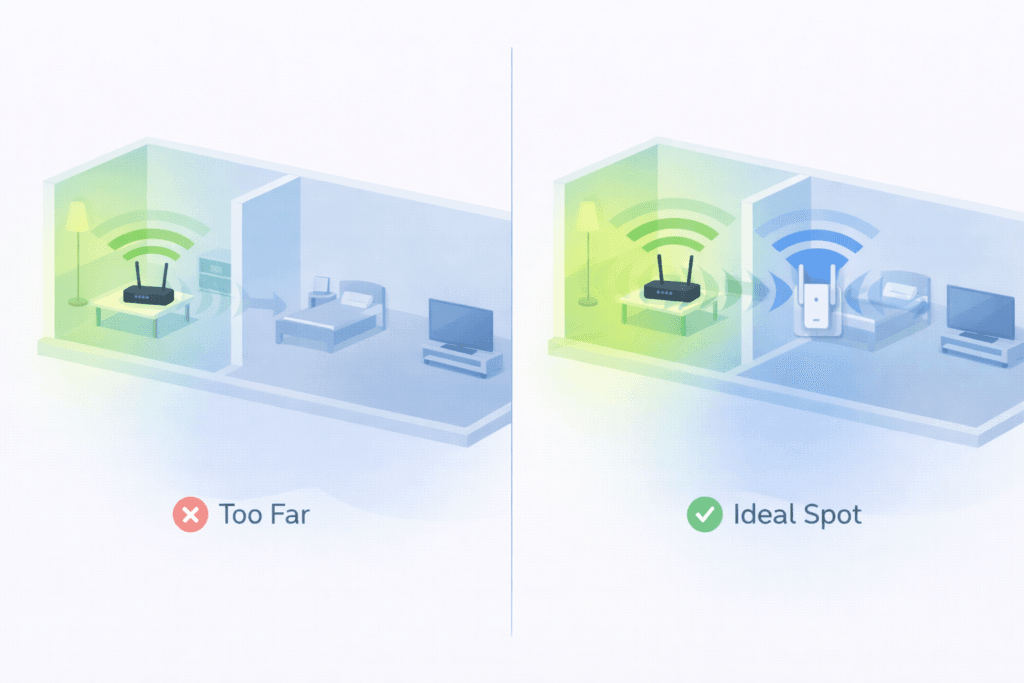
Advertised range numbers assume ideal conditions that rarely exist in real homes. Actual performance depends more on where the extender sits between the router and weak areas. If it is placed too far from the router, it will amplify a weak signal and deliver limited results. If it is too close, coverage gains are minimal. Understanding this balance helps explain why placement often has a greater impact on effective range than hardware specifications alone.
How to Connect a WiFi Extender Properly (Step-by-Step Overview)
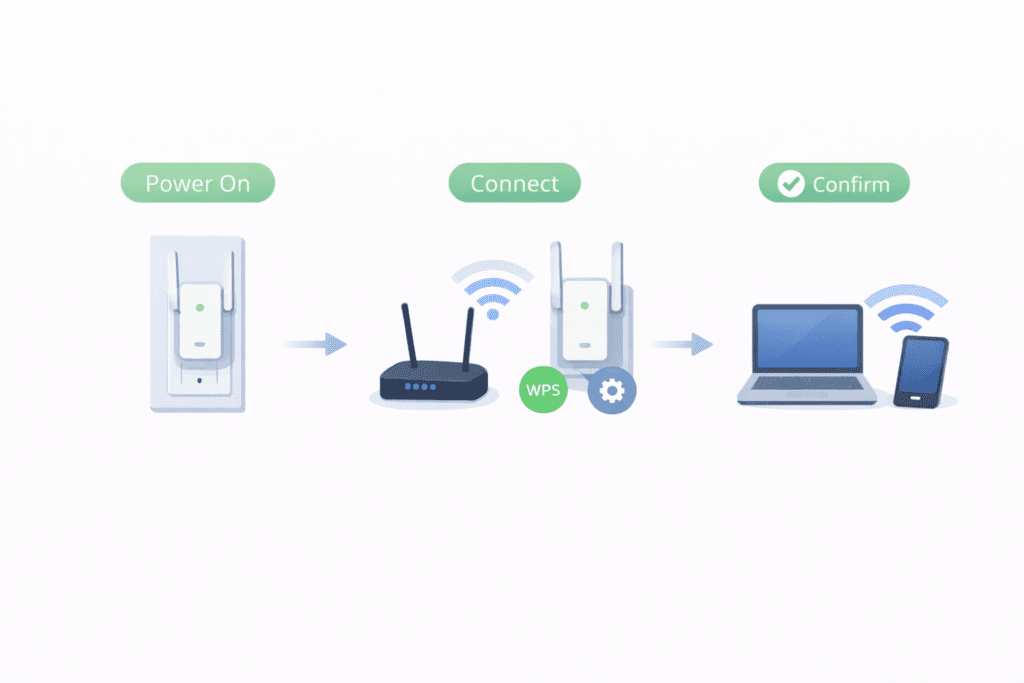
Connecting a WiFi extender is usually a straightforward process when viewed at a high level. The goal is to link the extender to your existing network so it can receive and rebroadcast the signal into weaker areas. When people look up how to connect wifi extender, they are typically trying to understand this basic flow rather than detailed technical steps.
The process generally starts with an initial connection, where the extender is powered on and placed within range of the router’s signal. Next comes syncing, during which the extender establishes communication with the router and copies the necessary network settings. Once connected, devices can begin using the extended network. Looking at setup this way helps clarify how you use a WiFi extender, without relying on model-specific instructions. A simple confirmation, such as seeing a stable connection indicator or extended network availability, usually shows that it is working as intended.
Common Setup Methods (WPS vs Manual)
There are two common ways extenders connect to a router. WPS-based setup uses a button on both devices to automatically exchange connection details, making the process quicker and more hands-off. Manual setup involves selecting the network and entering credentials through a basic interface. Both methods achieve the same result; the difference lies in how the connection information is shared, not in how the extender functions afterward.
Common WiFi Extender Problems and Mistakes
One common issue users notice after adding an extender is reduced speed in extended areas. This happens because the extender must receive data from the router and then transmit it again over a wireless connection, adding an extra relay step that can affect throughput—especially when multiple devices are active. Understanding how wifi extender works helps explain why speed can drop compared to being directly connected to the router, especially when multiple devices are active.
One common issue users notice after adding an extender is reduced speed in extended areas. This happens because the extender must receive data from the router and then transmit it again over a wireless connection, adding an extra relay step that can affect throughput—especially when multiple devices are active. Understanding how wifi extender works helps explain why speed can drop compared to being directly connected to the router, especially when multiple devices are active.
Incorrect placement is another frequent mistake. If an extender is positioned too far from the router, it will rebroadcast a weak signal and deliver limited improvement. Placing it too close, on the other hand, may not extend coverage enough to reach problem areas. These results are tied to signal quality rather than a fault with the device itself.Many people also expect an extender to deliver full router-level speed everywhere. In reality, extenders are designed to improve coverage, not increase the internet speed coming into the home. This expectation gap is similar to confusion around wifi repeater vs extender and questions about how does a wifi repeater work, where the core behavior is still signal relaying. Knowing these limits helps set realistic expectations and avoid unnecessary frustration.
WiFi Extender vs Other WiFi Expansion Options (Comparison)
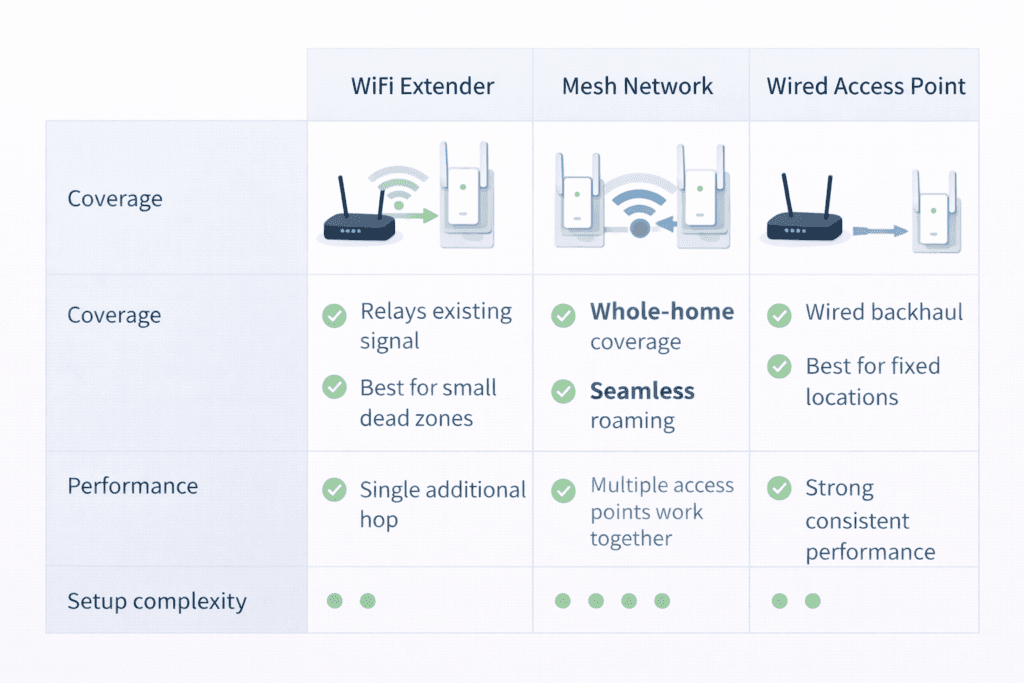
When expanding WiFi coverage, extenders are often compared with other solutions that aim to solve similar problems. Each option approaches coverage differently, which affects performance, scalability, and how devices connect across a space. Understanding these differences helps clarify which type of expansion fits specific layouts and usage patterns without assuming one option is universally better.
WiFi Booster vs WiFi Extender
The terms booster and extender are frequently used interchangeably, which creates confusion. In most cases, wifi booster vs wifi extender is a language difference rather than a technical one. Both refer to devices that rebroadcast an existing wireless signal to improve coverage in weak areas. Some people associate “booster” with amplification, but in practice these devices still rely on receiving and relaying the router’s signal. The core function remains the same: extending usable coverage rather than increasing the original internet speed.
WiFi Extender vs Mesh Network
A key difference between wifi extender vs mesh lies in network architecture. An extender connects to a single router and rebroadcasts its signal, creating an additional hop for data. Mesh systems use multiple nodes that communicate with each other as part of one coordinated network. In comparisons like wifi mesh vs extender or wifi mesh network vs range extender, the distinction is about how devices move between access points and how evenly coverage is distributed. Extenders focus on filling specific gaps, while mesh networks are designed to blanket larger areas with consistent connectivity.
When NOT to Use a WiFi Extender
If you’re asking how do wifi extenders work for a large, high-device, or performance-sensitive network, extenders are often not the best choice. Don’t use one when you need consistent high throughput (gaming, 4K streaming), seamless roaming between rooms, or coverage across many floors — mesh systems or wired access points deliver more reliable speed and handoff. Also skip an extender if the router’s signal is already very weak where you’d place it (it can only rebroadcast what it gets). In short: extenders are best for filling small, isolated dead zones — for whole-home coverage or heavy traffic, choose mesh or additional wired APs.
FAQs About WiFi Extenders
Do WiFi extenders slow down internet speed?
A speed drop can happen because an extender must receive data from the router and then send it back out again, creating an extra step in the signal path. This relay process is the reason throughput can be lower than when a device is connected close to the router. The effect is more noticeable when many devices share the connection.
Can a WiFi extender work with any router?
Most extenders are designed to work with standard wireless networks, regardless of router type. As long as the router uses common WiFi protocols, compatibility is usually not an issue. This is why questions about what is a wifi extender and how does it work often focus on signal behavior rather than specific router requirements.
Where should a WiFi extender be placed?
An extender works best when it sits between the router and the area with weak coverage. It needs a strong enough signal to relay effectively, but still close enough to reach problem zones. Placement influences how far does a wifi extender reach more than advertised range numbers.
Is a WiFi extender the same as a WiFi repeater?
The terms are closely related and often used interchangeably. Both devices receive an existing signal and rebroadcast it to extend coverage. When people compare wifi repeater vs extender or ask how do wifi repeaters work, they are usually describing the same core function with slightly different naming.
Conclusion
How do wifi extenders work? At their core, they receive an existing wireless signal from the router and rebroadcast it into areas where coverage is weak or unreliable. This signal-relay approach helps reduce dead zones and improves basic connectivity, but it also explains why performance depends on distance, interference, and placement. Understanding how wifi extender works makes it easier to set realistic expectations about speed and range.
In real homes, an extender’s reach is shaped more by walls, layout, and router signal quality than by advertised numbers. Used correctly, extenders are most effective for filling specific coverage gaps rather than replacing a router or boosting internet speed overall. Proper placement and awareness of their limits are key to getting consistent results.
Choosing whether an extender makes sense comes down to space, layout, and usage needs. For smaller areas with isolated weak spots, an extender can be a practical solution, while larger or more complex spaces may require a different network approach.